Part 1. Planning and registration lead
"Moving between fields alone does not establish accessibility. Check correction and value retention before opening registration."
- Agree a separate test environment and handling process: Agree an independent test environment and how test submissions will be handled with the web supplier so test data does not enter the real applicant list.
- Define screens and conditional rules to review: Give the supplier the full set of paths, including basic information, follow-up questions revealed by session selection, and an external registration tool embedded in the website.
- Decide when values remain valid instead of restoring everything: If changing a session invalidates earlier follow-up answers, do not require every value to be restored automatically. Agree with the supplier which values remain valid and which questions must be asked again.
- Keep alternative contact separate from fixing defects: Adding a telephone enquiry route does not establish that keyboard barriers or accessibility defects in the web form have been resolved.
Part 2. Web development and accessibility team
"Complete pointer-operated tasks by keyboard, and preserve valid data while correcting errors."
- Provide a complete keyboard route: Check W3C keyboard criterion WCAG 2.1.1 and provide a route without a mouse through selecting and cancelling sessions, using date pickers, opening additional fields and submitting. Check the criterion’s exception and each component’s operating keys.
- Prevent keyboard traps and provide an exit: Under WCAG 2.1.2, prevent a situation in which focus enters a component and cannot leave by keyboard. Tab may cycle inside a dialog, but a clear keyboard-operable close or cancel route must be available.
- Identify errors in text and support navigation to fields: WCAG 3.3.1 requires an automatically detected error to identify the affected item and describe the error in text. Do not rely on a red border or redisplayed form alone. Correction guidance and links from an error list to fields are useful approaches suggested by WAI; test that the chosen approach works.
- Preserve valid data and session choices during correction: Check the scope and exceptions of WCAG 3.3.7 and make information requested again in the same process automatically populated or available for selection. Also check that valid names, organisations and session choices remain available after correcting an error or returning to an earlier step. Handle security-related re-entry and information that is no longer valid separately.
Part 3. Registration review and event operations
"Test without a mouse. Record error navigation and screen-reader results separately."
- Check visible focus and distinguish movement from selection: Navigate without a mouse using Tab and Shift+Tab, checking that the current focus is visible under WCAG 2.4.7. Use the component’s documented keys, such as arrows, Enter and Escape, to operate selection lists and date pickers, then confirm you can move to the next field.
- Check labels during entry and record screen-reader results separately: Confirm that field names remain available after typing starts. If screen-reader testing is performed, separately record whether announced names match their actual form fields; a keyboard pass alone does not establish a screen-reader pass.
- Reproduce errors and correct the actual field: Reproduce a missing required value and an invalid format separately. Confirm that the feedback identifies where the error occurred and that a keyboard user can reach the affected field and finish correcting it.
- Record reproduction steps and retest each revision: Give the supplier the screen URL, version, operating system, browser, embedded route, choices made, blocked step, keys pressed and lost values. Repeat the same review from the start on the corrected version.
| Test state | Record | Insufficient evidence |
|---|---|---|
| Field navigation | Order and visible focus | Clicking fields |
| Session or date | Select, change and leave | Opening the list |
| Additional questions | Location and route to new fields | A screenshot of their appearance |
Scroll sideways if needed to read every column.
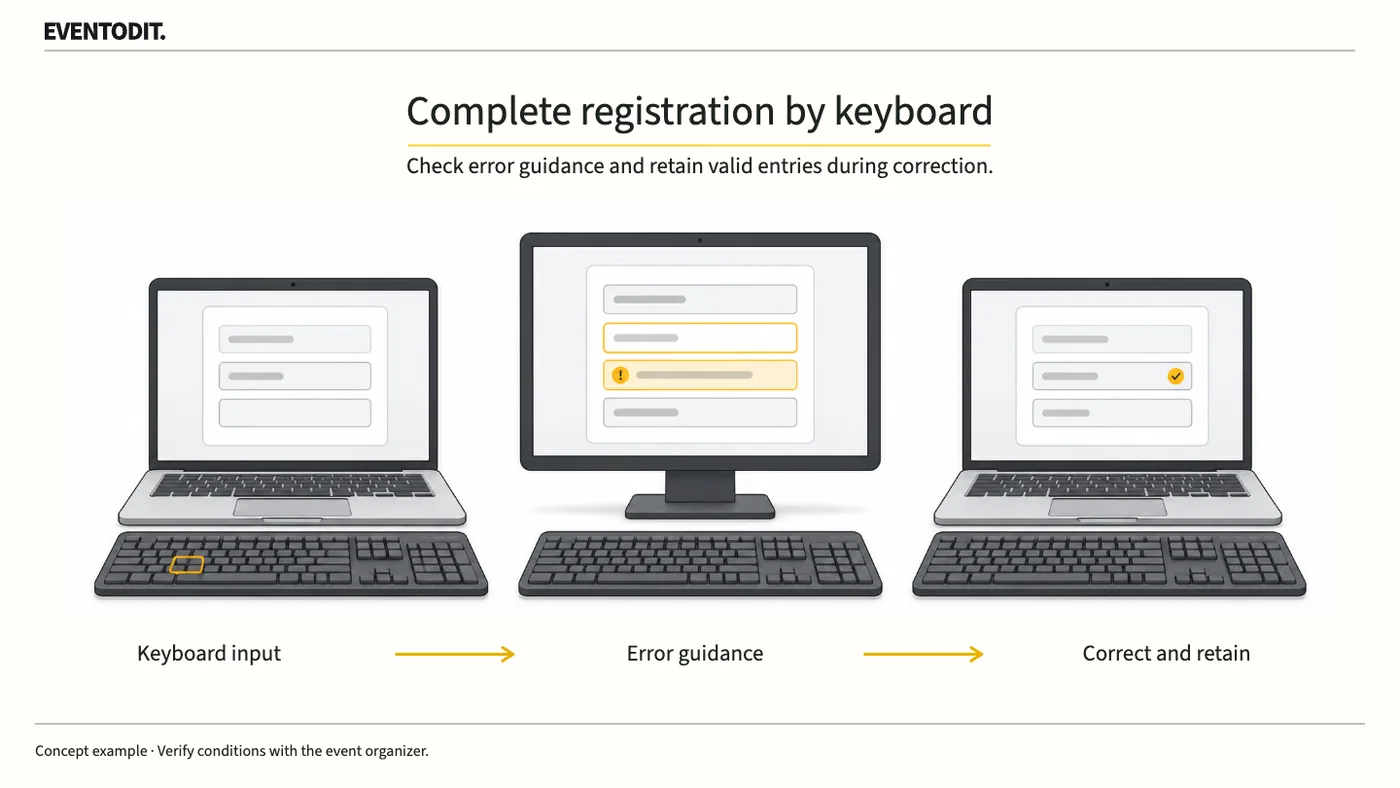
- Agree test conditionsRegistration owner and supplier define missing and invalid values and expected results.
- Reach the affected fieldCheck the name, problem and guidance, then navigate by keyboard.
- Compare retained valuesConfirm valid information and session choices remain available.
Needs correction
Confirmed
- Retest the revisionRepeat the task in updated screens and embedded routes.
Check repeated requests in the same process, preserving exceptions for security, invalid information and essential re-entry.
Use the form for the next handover
Use the [Registration keyboard and error-recovery tests](/en/templates/registration-accessibility-test.html) for the records described here. The XLSX contains Blank, Example and Instructions sheets. Write your event in Blank; the fictional example is a guide to what to enter.
Record screen/environment, selections and keys so the issue can be reproduced. Separate expected behaviour from actual focus, errors and retained data.
QA sends environment, reproduction and evidence to developers. The registration owner receives fixed-path results and records publication decisions.
Final check before use: Before opening event registration, cross-check keyboard-only operation, text error feedback and navigation to affected fields, and retention of valid data and session choices before approving publication.
Conditions for applying this elsewhere
Use an agreed test environment separated from live registration, including embedded external tools.
Information not established
No specific service, form or assistive-technology combination was tested. These checks do not establish conformance for the entire website.
Reference material
- W3C WAI — WCAG 2.2 Understanding 2.1.1 Keyboard; reviewed 27 October 2026
- W3C WAI — WCAG 2.2 Understanding 2.4.7 Focus Visible; reviewed 27 October 2026
- W3C WAI — WCAG 2.2 Understanding 2.1.2 No Keyboard Trap; reviewed 27 October 2026
- W3C WAI — Forms Tutorial: Labeling Controls; reviewed 27 October 2026
- W3C WAI — WCAG 2.2 Understanding 3.3.1 Error Identification; reviewed 27 October 2026
- W3C WAI — Forms Tutorial: User Notification; reviewed 27 October 2026
- W3C WAI — WCAG 2.2 Understanding 3.3.7 Redundant Entry; reviewed 27 October 2026
- W3C WAI · WCAG 2.2 Understanding 3.3.3 Error Suggestion
Have a correction or additional evidence? Request a correction