Part 1. AV procurement and planning lead
“Do not approve a replacement by connector shape alone. Define display requirements and obtain model-specific evidence.”
- Define requirements and verify the port: The video lead should set the required resolution, refresh rate, audio and final display path. If the proposed method is DisplayPort Alt Mode, verify support for that specific laptop model and USB-C port in manufacturer documentation. A matching connector alone is not approval for video output.
- Separate charging and data from video: Charging a laptop or detecting a USB drive does not establish video capability for the connection.
- Review alternative video methods separately: If a USB graphics device or a configuration requiring additional software or drivers is proposed, assess operating system support, installation permissions, security and power as a separate method from Alt Mode. Hold approval when evidence is missing and request clarification.
- Track the approved combination and untested spares: Retain the original proposal, replacement models, selected port, cable, converter, tested path and results together. Separate untested spares from the accepted list and appoint a person to recheck emergency substitutions. Do not generalise a single successful combination to every USB-C device.
Part 2. Video technical director
“Matching connectors can carry different signals. Check the port, cable, converter and end-to-end path separately.”
- Check each selected laptop port: USB-C ports on the same laptop can have different functions. Verify the selected port’s video output method and requirements in the manufacturer’s documentation. If using DisplayPort Alt Mode, confirm support for that mode.
- Verify cable video capability: Do not assume a charging-only or USB 2.0-only cable is suitable for video. Charging power or data-rate labelling alone does not establish video performance; check the chosen cable model and length against the video path and display requirements.
- Confirm conversion direction and operating conditions: A typical adapter sending USB-C video output to an HDMI display input is not necessarily capable of the reverse HDMI-to-USB-C connection. Verify the specific model’s input/output direction, power, operating-system and driver requirements.
- Separate component documentation from end-to-end testing: Even compatible individual specifications do not guarantee the combined dock, converter, switcher and final display will work. Test and record the actual path separately.
| Component | Evidence to request | Separate check |
|---|---|---|
| Laptop output | Exact model, selected port and supported video mode | Whether other USB-C ports on that laptop behave identically |
| Dock or converter | Input/output direction and supported display conditions | Required power, operating system and drivers |
| Cable | Model, length and video capability | Whether charging or data support has been mistaken for video support |
| Complete path | Configuration including switcher, intermediate connections and display | Whether individual specifications have been mistaken for an end-to-end result |
Scroll sideways if needed to read every column.
- Define display requirementsThe video lead records the output mode and complete connection path.
- Compare model-specific evidenceProcurement obtains documentation for the port, dock and cable.
Unconfirmed
Evidence available
- Test the event configurationInclude intermediate equipment and the final display.
- Confirm the approved combinationDistribute the tested models, selected port, cable and remaining limitations.
Keep documented support separate from the result of the event test.
Part 3. Presentation and on-site operations
“Documentation is not a field test. Connect the actual event equipment and peripherals through to the final display.”
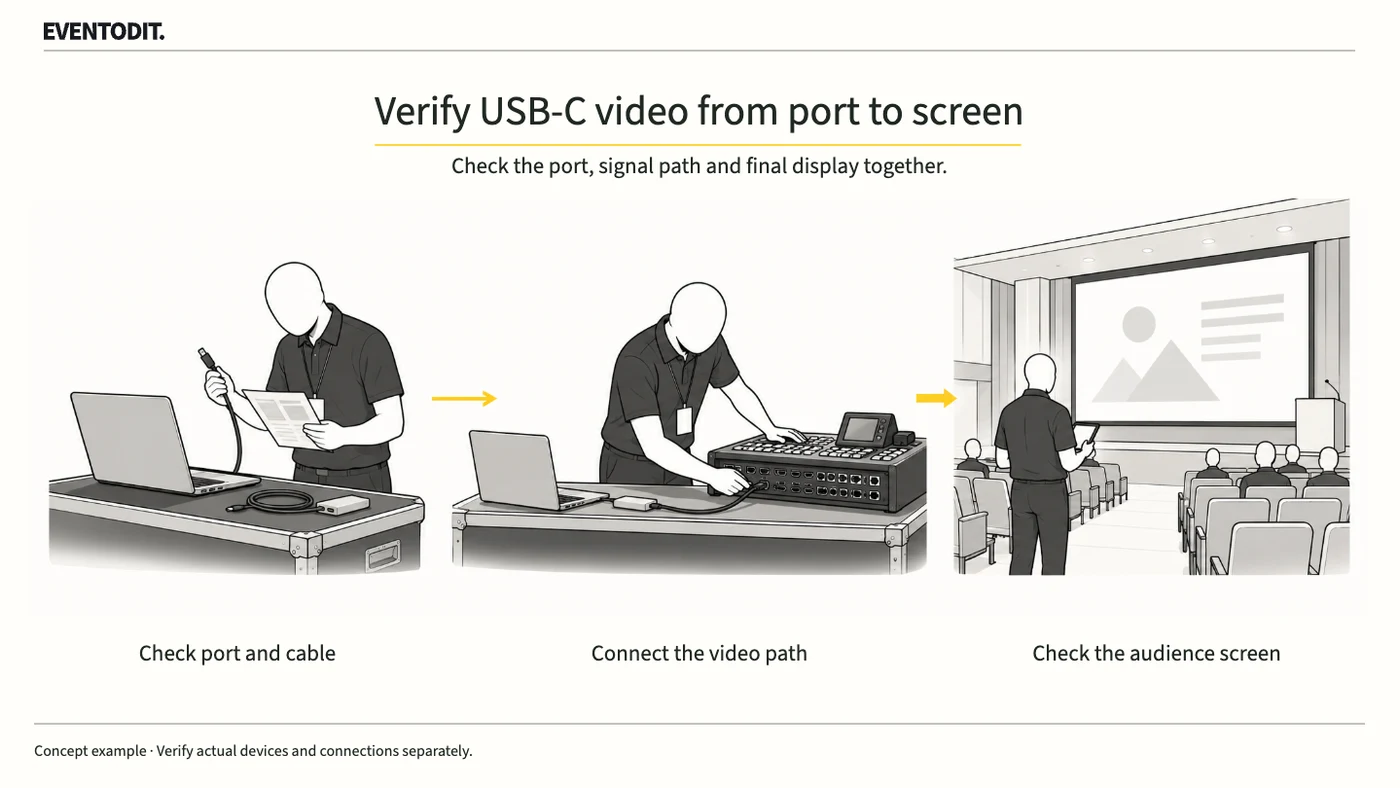
- Test the complete display path: Connect the presentation laptop through the actual dock, cable, converters and switcher to the audience display. Show the actual presentation and confirm required resolution, refresh rate and audio where applicable.
- Check readability, sound and reconnection: Inspect small text, video and audio delivery and synchronisation. During a controlled rehearsal that does not disrupt operations, disconnect and reconnect the cable to confirm the screen recovers.
- Test simultaneous operating conditions: If the event uses charging, a mouse, presenter or other USB peripherals, connect them together and check for flickering or interruption. Do not improvise this test during public transmission.
- Hand over results and limitations: Keep manufacturer support claims separate from on-site results. Record the exact tested models, ports, cables, converters and final display path, and share unresolved limitations with operations.
Use the original records and supporting templates
Use the approved signal diagram and equipment list as the authoritative register. Link the exact laptop and port, dock/converter direction, cable model and length, power/OS/driver requirements and manufacturer evidence; record the full test through the actual switcher to the final display. The [media handover and playback record](/en/templates/video-handover.html) supports screen/audio results, reconnection and simultaneous-peripheral tests, and handover of the verified combination. The form alone does not verify port specifications or every replacement combination.
Final check before use: Before using replacement equipment, cross-check the selected video method, port, cable and conversion direction, and the tested output through the switcher to the final display.
Conditions for applying this elsewhere
Applies to a USB-C DisplayPort Alt Mode video path. Check other USB graphics methods and product-specific requirements with the relevant manufacturer.
Information not established
No reader's equipment combination, image quality, latency or test result has been verified. The diagram and comparison criteria are editorial proposals.
Reference material
Have a correction or additional evidence? Request a correction