Part 1. Planning and Programme Lead
"This is more than equipment hire. Order against a scene-based cue sheet and the time required."
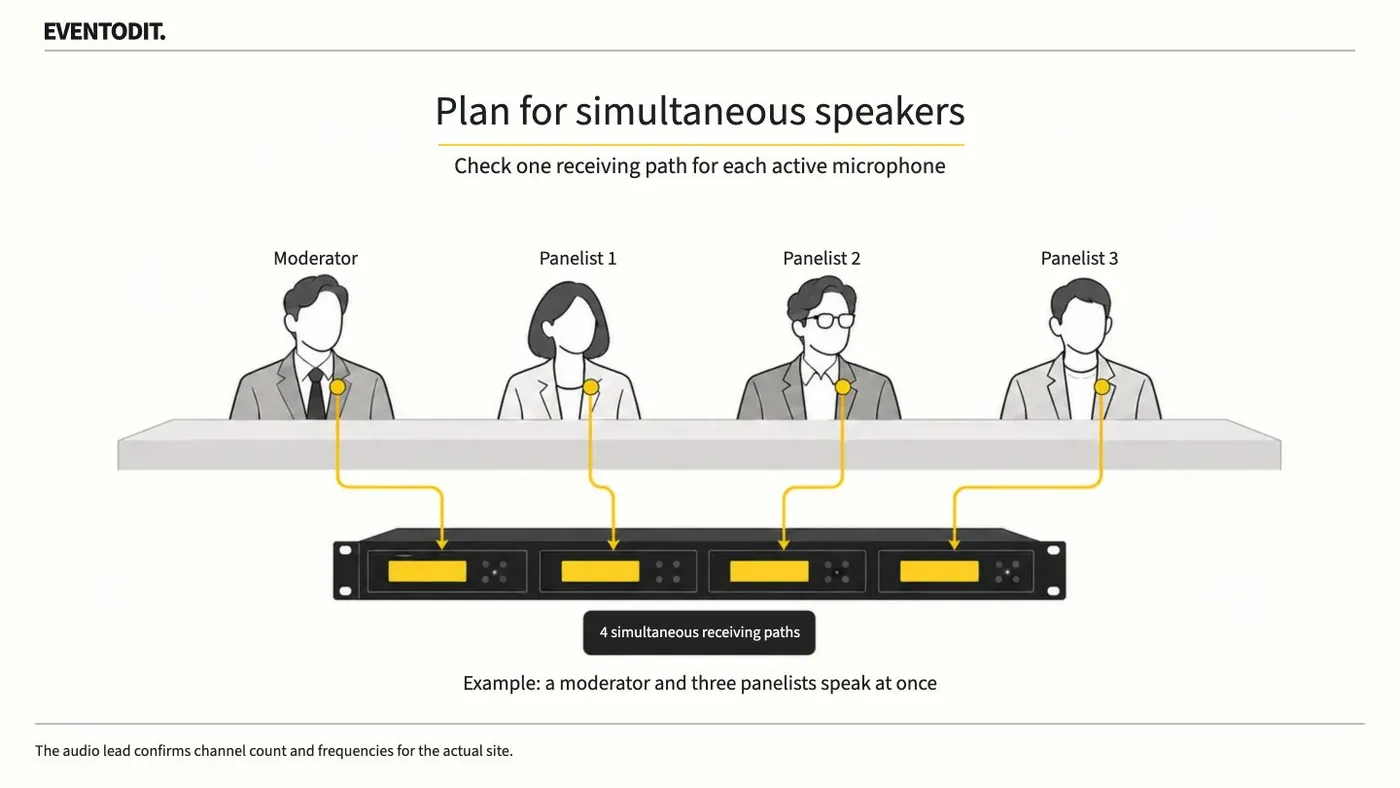
- Calculate simultaneous use by scene: Base the order quantity on the cue-sheet scene in which the most people will hold and speak into microphones at the same time, rather than the total number of participants.
- Plan to prevent dead time: Clearly separate the microphone the host keeps throughout from the microphones staff must carry to audience members during Q&A. Time spent delivering microphones can affect the event's overall running time.
- Define on-site support and operating scope: Do not ask the rental company only for transmitter and receiver quantities. Before signing the contract, make clear who is responsible for frequency checks, rehearsal participation, battery management during the event, deploying backup equipment when problems occur, setup and removal.
Scroll sideways if needed to follow each role.
- Programme / planning: Check speech by sceneWho speaks simultaneously, and where?
- Programme / planning: Plan channels and handoversType, channels, handover owner and changeover time
- Sound team: Check frequencies and siteCompare other wireless devices and actual routes
- Programme / planning: Confirm scope and backupSpecify operating support and fault-replacement cues
- Programme / planningCheck speech by sceneWho speaks simultaneously, and where?
- Programme / planningPlan channels and handoversType, channels, handover owner and changeover time
- Sound teamCheck frequencies and siteCompare other wireless devices and actual routes
- Programme / planningConfirm scope and backupSpecify operating support and fault-replacement cues
Columns identify roles. Read steps from top to bottom; arrows show the handover direction.
Part 2. Audio and RF Director
"Possessing equipment does not guarantee it can be used. Check the frequency environment and channels."
- Cross-check available channels and nearby frequencies: The number of receivers in a quotation may differ from the number of channels that can actually operate simultaneously. Collect plans in advance for other wireless equipment at the venue, performers' in-ear monitors (IEMs), and frequency bands in use at neighbouring events, then complete frequency coordination.
- Control feedback through the physical layout: Feedback occurs when a microphone picks up sound from a loudspeaker. Do not try to solve it simply by lowering the console fader. Record where the problem occurs and structurally readjust loudspeaker direction and microphone placement.
Part 3. Floor Operations and Stage Manager
"A centre-stage test is meaningless. Walk and check the actual routes."
- Test RF dead spots along actual movement routes: A microphone test performed alone at centre stage is not enough. Check reception at every position where someone will actually speak, including the side-stage waiting room from which a presenter enters and audience aisles. Crowds or metal partitions can obstruct radio signals, so reposition antennas when conditions require it.
- Agree on equipment-failure and emergency signals in advance: If a microphone cuts out or its battery runs down during the event, establish in advance the hand signal performers or the programme lead will give the audio team and when the backup microphone will be brought in as a replacement.
Operational workflow
Scroll sideways if needed to follow each role.
- Planning & Procurement: Estimate scene needs and handover timeCount peak simultaneous use. Separate the host's dedicated mic from audience handover mics and allow for travel time.
- Planning & Procurement: Assign scope and responsibilitiesName who handles frequency checks, rehearsals, batteries, backup equipment, setup and removal.
- Audio / RF: Check channels and frequency plansCheck receiver channel counts alongside nearby events, IEMs and other teams' wireless equipment, then prepare the tuning plan.
- Floor / Stage: Test the actual movement routesWalk the holding room, entrance route and audience aisles; record dropouts, dead zones and problem locations.
- Audio / RF: Adjust reception and feedback layoutAdjust antenna and microphone positions and loudspeaker directionality, then check the same route again.
- Floor / Stage: Agree on swap signals and backup micsAgree in advance on the hand signals shared by the production team, speakers and audio desk, and which replacement mic to use.
- Planning & ProcurementEstimate scene needs and handover timeCount peak simultaneous use. Separate the host's dedicated mic from audience handover mics and allow for travel time.
- Planning & ProcurementAssign scope and responsibilitiesName who handles frequency checks, rehearsals, batteries, backup equipment, setup and removal.
- Audio / RFCheck channels and frequency plansCheck receiver channel counts alongside nearby events, IEMs and other teams' wireless equipment, then prepare the tuning plan.
- Floor / StageTest the actual movement routesWalk the holding room, entrance route and audience aisles; record dropouts, dead zones and problem locations.
- Audio / RFAdjust reception and feedback layoutAdjust antenna and microphone positions and loudspeaker directionality, then check the same route again.
- Floor / StageAgree on swap signals and backup micsAgree in advance on the hand signals shared by the production team, speakers and audio desk, and which replacement mic to use.
Columns identify roles. Read steps from top to bottom; arrows show the handover direction.
Arrows show handovers between roles. If site conditions change, the audio and floor teams repeat the test and share the swap plan.
Final check before use: Before each team and system enters the venue, cross-check that every check derived from this manual has been assigned.
Conditions for applying this elsewhere
As moderator, panel and audience-question positions change, the sound lead should check actual routes and nearby wireless equipment together.
Information not established
Possession of a particular model does not guarantee simultaneous site use. Technical personnel must check frequency conditions, antennas, reception and feedback.
Reference material
Have a correction or additional evidence? Request a correction