Part 1. Marketing and procurement lead
“A booking-button click is not a ticket purchase. Define the sales route and agree what can be measured.”
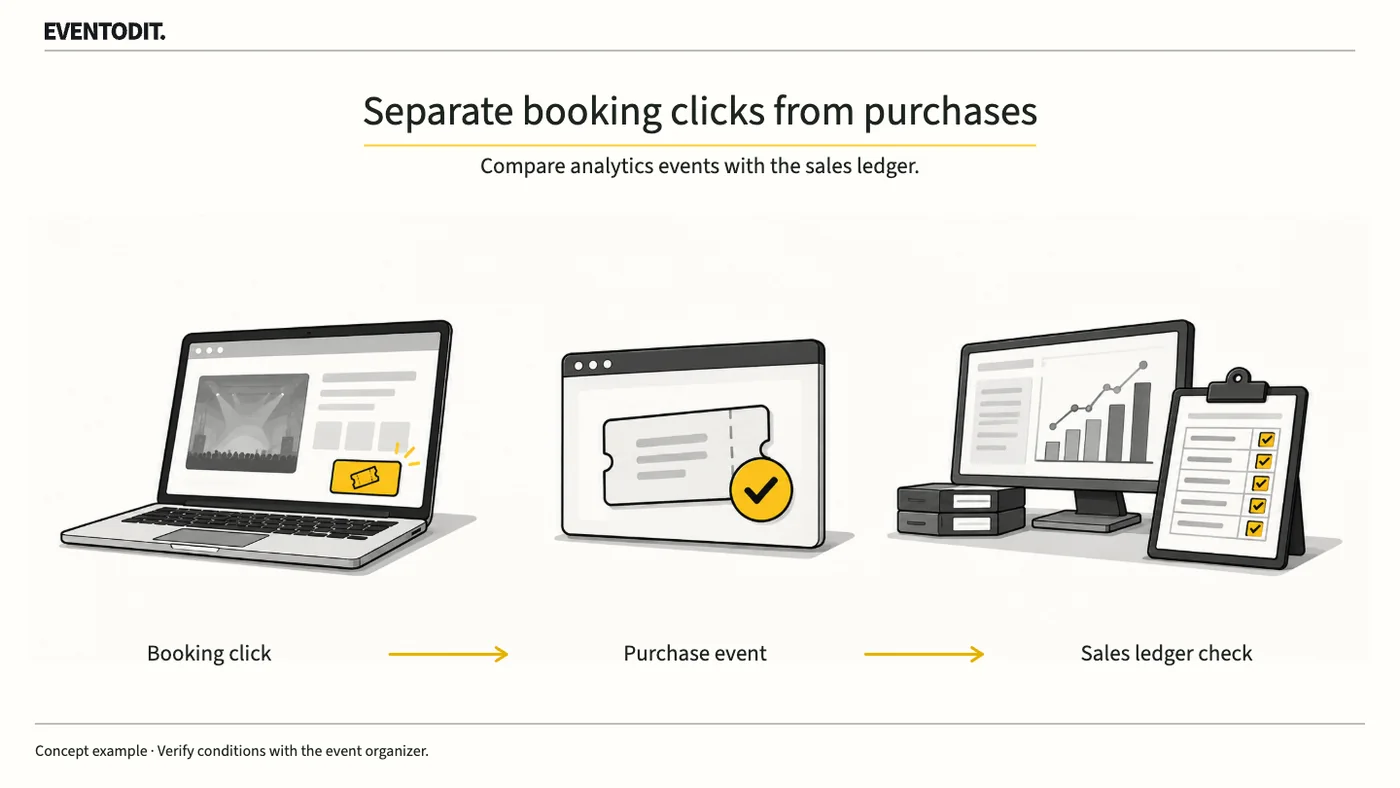
- Separate booking clicks from purchase conversion: A click on the event website and a completed purchase are different metrics. Do not present clicks as purchases or revenue.
- Map and share the sales route: Before advertising, show the event website, external booking page or embedded screen, checkout and post-payment return address to the web team and ticket provider.
- Check tag permissions and integration limits: A general claim of GA4 support does not establish measurement on every screen. Ask what this event account and sales method permit for the organiser’s tag, which completed-order fields are provided and how testing is allowed.
- State unmeasured scope: If visits and orders cannot be connected, report measured journeys to the provider separately from the provider’s order and ticket totals. Do not turn clicks into purchases or claim channel attribution that has not been established.
Part 2. Web development and analytics
“Domain registration and seeing _gl are not enough. Verify redirects and purchase events.”
- Check the shared web-stream tag and linker: Follow Google’s cross-domain guidance to verify the same web data-stream tag ID on both sides. Adding a domain to settings does not install the tag on the other site. Where consent and provider permissions allow, check _gl on the actual journey.
- Inspect redirects and non-standard links: Developers should test the actual booking-button behaviour and whether intermediate redirects preserve _gl. Its appearance in the address bar alone does not prove that visit continuity or purchase collection succeeded. Review embedded screens against the actual implementation and provider permissions.
- Count outbound journeys explicitly: Enhanced measurement does not automatically record its outbound-click event for links configured as cross-domain. If journey counts are needed, design a separate click event and test it.
- Understand unwanted-referral limits: Excluding a payment domain as an unwanted referral does not retrieve missing orders or create a purchase event. Record referral-exclusion results separately from verified purchase attribution.
- Avoid blanket external-domain exclusions: Distinguish a payment-only detour from a ticket provider’s own search or referral traffic; check exclusions so useful acquisition sources are not lost.
- Inspect the purchase event: In a test method agreed with the provider and under the applicable consent conditions, inspect purchase in Google DebugView or equivalent evidence. Reconcile the transaction identifier, items and quantities, value and currency with the test order where the fields are available. Agree beforehand how test orders will be prevented from contaminating real sales or settlement.
- Map the sales routeIdentify the website, booking screens and post-payment destination.
- Check actual collectionVerify visitor continuity separately from completed-order details.
Clicks or visits only
Orders available
- Compare ordersMatch quantities, amounts and currency with sales records; explain gaps.
An EVENTODIT production acceptance approach, subject to consent, privacy requirements and functions permitted by the provider.
Part 3. Performance reporting and reconciliation
“Do not treat analytics counts as total sales. Reconcile the ledger and document gaps.”
- Separate orders from ticket quantities: One order may contain several tickets, so record order count and ticket quantity in separate columns. Verify attendance independently against entry records.
- Record analytics coverage gaps: An external provider’s integration may be limited by user privacy settings or consent. Eventbrite’s integration guidance says refunds, transfers and manual transactions are excluded from its analytics data. Do not assume other providers have the same coverage; check their official sales reports and conditions.
- Reconcile the sales ledger and investigate differences: Compare the transaction identifier, quantity, amount and currency of an authorised test order across analytics and the provider’s sales ledger. Investigate possible consent or blocking, manual handling and payment errors; leave the cause unconfirmed and assign an owner and deadline when it has not been established.
- Report unconnected stages and prohibit personal data: Show website outbound journeys beside provider order and ticket totals, and state that channel-level sales attribution cannot be confirmed if individual journeys cannot be connected. Do not send names, email addresses, telephone numbers or other personal data in URLs or analytics events to bridge the gap.
- Manage stage-specific measures: Define booking clicks, completed orders, net sales after cancellations or refunds, and actual admissions independently, with each metric’s unit and collection scope.
| Check | Evidence to retain | Insufficient evidence |
|---|---|---|
| Domain journey | Origin, destination, tag ID and redirect result | Domain entered in settings |
| Completion | Actual event, transaction identifier, quantity, amount and currency | Booking-button clicks alone |
| Gaps | Treatment of consent, blocking, refunds and manual transactions | Analytics total treated as all sales |
| Follow-up | Owner, change and route to retest | Settings screenshot alone |
Use the form for the next handover
Use the [Booking route and purchase-event verification](/en/templates/booking-purchase-verification.html) for the records described here. The XLSX contains Blank, Example and Instructions sheets. Write your event in Blank; the fictional example is a guide to what to enter.
Assign a test ID to each route, device and consent condition. Check permissions, stream IDs and linker values through redirects.
Development sends route results, gaps and retest evidence to marketing and reporting; booking and settlement also receive test-transaction treatment.
Final check before use: Before implementing external booking and cross-domain purchase measurement, cross-check tag permissions and connection by route, purchase-event parameters and reconciliation with the sales ledger.
Conditions for applying this elsewhere
For an event website linking to external checkout or embedding it. Available functions depend on the account, checkout method and consent conditions.
Information not established
No actual integration, order test, conversion rate or revenue attribution was verified for EVENTODIT or another event account. Eventbrite features were checked through the official help article’s public search-cached text, not by testing an organiser account.
Reference material
- Google Analytics Help · Set up cross-domain measurement: shared web-stream tag, linker parameter and redirect checks (checked 25 October 2026)
- Google Analytics Help · Identify unwanted referrals: what referral exclusion changes (checked 25 October 2026)
- Google for Developers · Set up a purchase event: purchase details and DebugView (checked 25 October 2026)
- Google for Developers · Measure ecommerce: currency, value, purchases and refunds (checked 25 October 2026)
- Eventbrite Help · Set up a tracking pixel with Google Analytics: event coverage, privacy controls and excluded transactions (checked 25 October 2026)
- Google Analytics Help · Best practices to avoid sending PII: personal data in URLs and analytics fields (checked 25 October 2026)
- Google Analytics · purchase event parameters
- Google Analytics · DebugView and consent settings
Have a correction or additional evidence? Request a correction