Part 1. Planning and Operations Lead
"A radio connects the people who need to exchange reports, not just channel numbers."
- Assign channels around reporting relationships: Simply dividing channel numbers by department is not enough. Create a radio allocation plan that identifies each task, calling role, responsible responder and active period, depending on whether zone reports are consolidated in the control room or sent directly to technical teams.
- Do not assume different radios are compatible: Radios supplied by different rental companies may not communicate even when their displayed channel numbers match, because frequencies and repeater arrangements can differ. Ask the communications supplier to verify that groups in the allocation plan match the actual device settings.
- Communicate validity across shifts and event phases: When responsibility changes between setup, the event and load-out, or a radio passes to another person during a shift change, state when the allocation plan is valid and hand over the designated contact to the incoming person.
Part 2. Communications Equipment Supplier Technical Lead
"A powered-on device does not mean the communications network is ready."
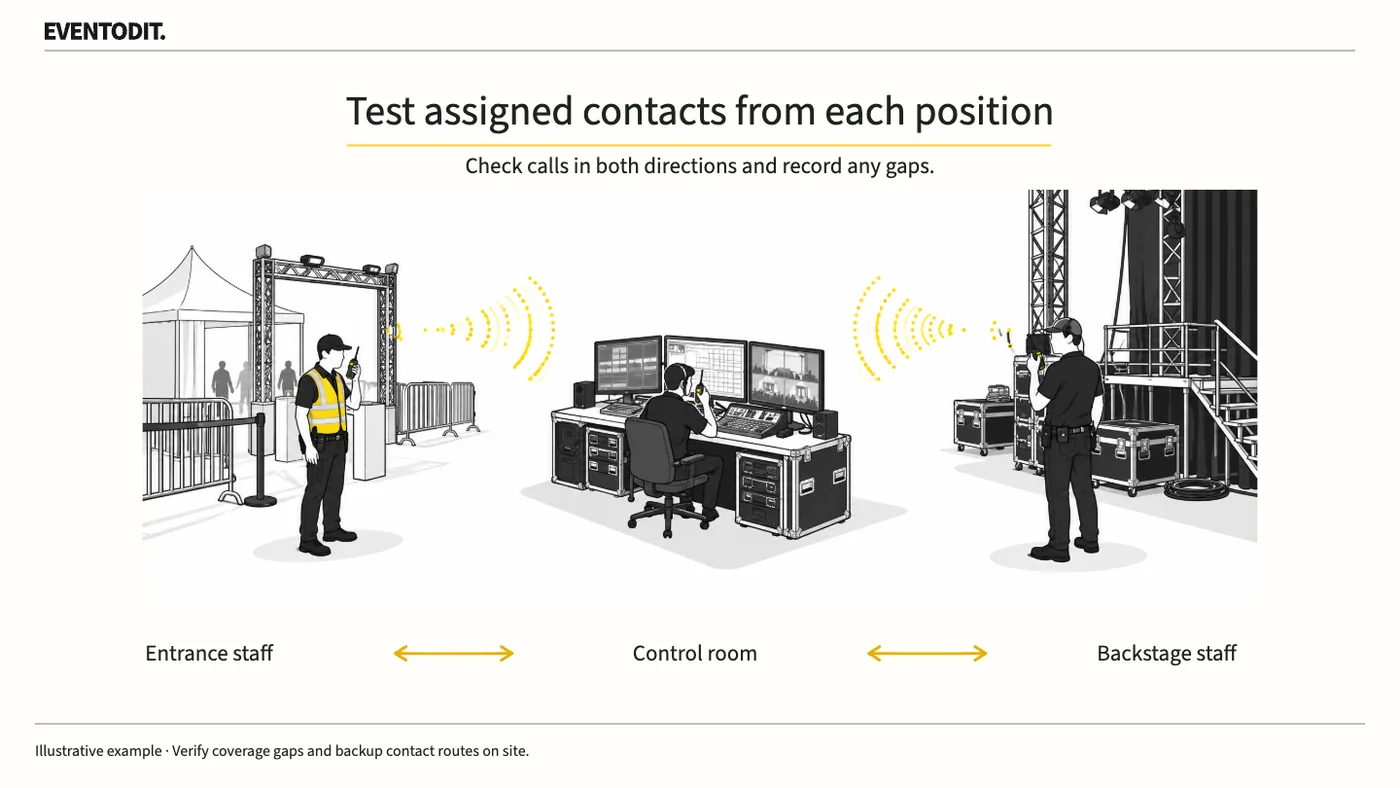
- Test two-way communication from actual working positions: A setup check on a desk before rental cannot reproduce site conditions. After distributing equipment, instruct staff to wear their headsets and test calls in both directions from positions marked on the plan, such as control points, entrances, backstage and the loading dock.
- Distinguish noise from physical obstructions: When communication fails, identify whether speech is being drowned out by site noise or the radio signal itself is being obstructed by concrete walls or other structures, then take appropriate technical measures such as adding a repeater.
- Report dead zones immediately: If a dead zone remains beyond radio coverage after corrective action, do not mark the test as passed. Report it immediately to the operations lead so staff can be repositioned or an alternative communications route activated.
Scroll sideways if needed to follow each role.
- Operations lead: Confirm contact relationshipsProvide tasks, receiving owners and active periods
- Communications supplier: Match devices to allocationCheck displayed channels, device IDs and communication routes
- Zone lead: Test actual positionsCall the designated counterpart both ways and record results
- Communications supplier: Resolve failed itemsIdentify cause, correction scope and required retest
- Zone lead: Return retest resultsCheck two-way communication and fallback routes after changes
- Operations lead: Record approved scopeConfirm passed zones, restrictions and allocation version
- Operations leadConfirm contact relationshipsProvide tasks, receiving owners and active periods
- Communications supplierMatch devices to allocationCheck displayed channels, device IDs and communication routes
- Zone leadTest actual positionsCall the designated counterpart both ways and record results
- Communications supplierResolve failed itemsIdentify cause, correction scope and required retest
- Zone leadReturn retest resultsCheck two-way communication and fallback routes after changes
- Operations leadRecord approved scopeConfirm passed zones, restrictions and allocation version
Columns identify roles. Read steps from top to bottom; arrows show the handover direction.
Do not mark failed tests as approved. Confirm remedies and alternatives through the site plan.
Part 3. Zone and On-site Leads
"Hearing your own radio does not mean everyone else's radio can be heard."
- Practise a targeted call to the designated counterpart: Immediately after receiving a radio, do not test only with the nearest colleague. Call the designated person in the allocation plan with whom you will most often exchange reports during the event, and confirm that they respond normally.
- Set up backup communications and procedures: Prepare an alternative, such as a mobile phone group chat, in case radio communications fail completely. Know in advance where spare batteries are kept and who will replace a depleted battery.
- Recognise that public announcements use a separate system: The internal radio network for staff and the public address system for the audience are separate systems. Do not assume that effective internal radio coverage means emergency crowd-control announcements will work; check the means of amplification separately.
Final check before use: Before the event begins, cross-check that all staff have completed communications tests from their designated positions and that backup measures for dead zones have been assigned without omissions.
Conditions for applying this elsewhere
For events using radios across multiple zones and roles. Communications personnel confirm programming, frequencies and conditions of use.
Information not established
Site coverage, channel counts, repeater arrangements and retest results are not supplied or prescribed as universal figures.
Reference material
- FEMA — ICS Form 205 v3.1, Incident Radio Communications Plan: channel number, function, assigned organisation, operational period and instructions; all 3 original pages reviewed, 2026.10.21.
- UK HSE — Crowd controls inside the venue: control-point information coordination and communication-failure preparations. Checked 2026.10.21.
- UK HSE — Planning for incidents and emergencies: pre-event radio and public-address tests and staff briefings. Checked 2026.10.21.
Have a correction or additional evidence? Request a correction