Part 1. Planning and Procurement
"A single line saying ‘online audio included’ cannot assign responsibility for the return feed."
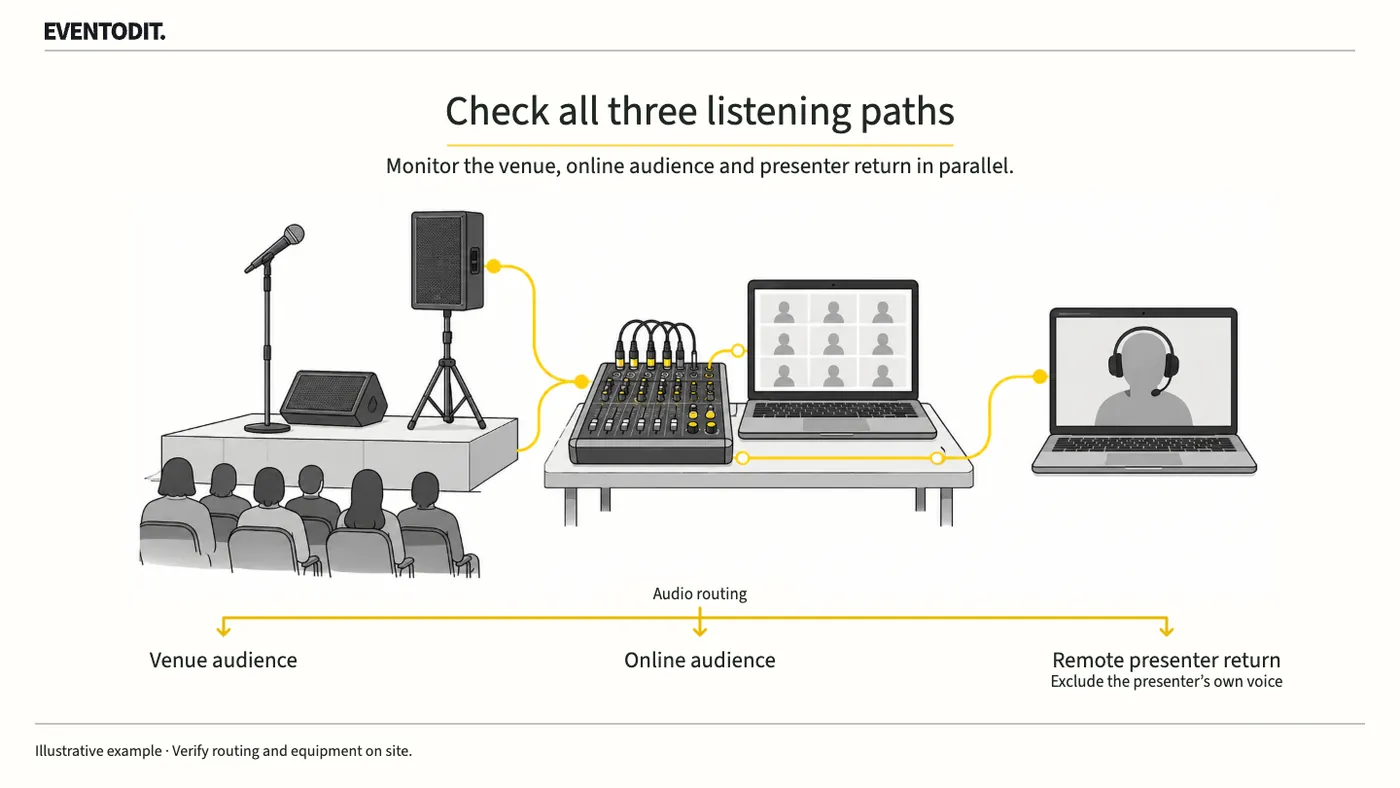
- Separate and document the three listening routes: Distinguish the venue loudspeakers, the online audience feed and the remote speaker's return. Create a routing matrix showing where the on-site host, remote speaker, video and external sources must be heard. Sound, broadcast and platform teams should share the same version.
- Verify the actual speaker account and permissions: Do not treat a successful production-team login as the speaker's completed connection. Have the actual speaker join using the event link, designated account and device, and directly check their speaking and screen-sharing permissions, such as panellist access to a Zoom Webinar practice session when applicable.
- Protect access details and manage the acceptance record: Do not expose a speaker-only link or raw account email in a shared checklist. Record only that the speaker's permissions were confirmed and where the controlled record can be found. If the device or connection method changes, invalidate the previous test result and verify again.
Zoom Webinar's practice-session guidance describes conditions such as a dedicated panellist link or a signed-in account matching the designated email. Check the differences among Meetings, Webinars, licences and settings. Ordinary attendees cannot join a Webinar practice session, so test the online-audience route separately when actual audience access is available.
| Source | On-site audience | Online audience | Remote speaker return |
|---|---|---|---|
| On-site host | Check delivery through the intended route | Check delivery through the intended route | Check that questions and conversation are audible |
| That remote speaker | Listen in the room | Listen in the online feed | Confirm the speaker's own input is not returned directly |
| Video and other remote sources | Confirm delivery to the required output | Confirm delivery to the required output | The technical owner decides which sources are needed |
Scroll sideways if needed to read every column.
Part 2. Audio and Broadcast Technical Team
"Removing an electrical loop alone does not eliminate echo. Control mix-minus and acoustic pickup."
- Verify the actual mix-minus configuration: Do not rely solely on platform descriptions of automatic mix-minus, such as vMix Call. The technical lead must inspect the physical and software routing in the actual broadcast and mixing console to confirm that the remote speaker's own input is excluded from that speaker's return.
- Prevent acoustic pickup: Even with electrical feedback removed, echo can occur when venue loudspeakers are picked up by open microphones. Include the speaker's input and output devices, earphones or headset, and the status of open stage microphones in the test conditions.
- Test solo and overlapping speech and record impairments separately: Test the on-site host alone, the remote speaker alone and a short period of simultaneous speech. Record clipped word beginnings, interrupted conversation and delayed returning audio that may occur with acoustic echo cancellation separately from echo attenuation. After corrections, repeat the same conversation. Do not turn figures from research such as the ICASSP AEC Challenge into arbitrary absolute pass thresholds; assess actual listening stability.
vMix describes mix-minus as removing a speaker's input from the mix sent back to that speaker. Its automatic vMix Call configuration cannot be assumed for other platforms or every mixer. With multiple remote speakers, check each return separately so it excludes that speaker's own input while including other speakers when needed.
The open manuscript for Cutler et al.'s ICASSP 2023 AEC Challenge distinguishes single talk, double talk, echo and other speech impairments when comparing echo-cancellation algorithms. Its research recordings and evaluation conditions are not event acceptance criteria or product guarantees. Use those distinctions to inform tests without inventing universal delay or attenuation thresholds.
Part 3. Site Operations and Stage Management
"Clear sound in the room does not prove that the speaker and online audience hear it clearly."
- Cross-listen in parallel at three positions: Do not approve every route based only on the console monitor. Listen to the same live conversation in the audience area, on a device with ordinary online audience access and on the remote speaker's return. Sound, broadcast and speaker-support staff should compare omissions and distortion.
- Check overlapping conversation and question response: Rehearse the host and remote speaker interrupting each other or asking questions at the same time. Check that the return remains responsive and the two-way exchange is delivered without interruption.
- Record changes and obtain final approval: Document every change to settings or equipment routing. Repeat the parallel tests until the audience, return and online routes all pass, then obtain the operations lead's final approval for the speaker to join.
Scroll sideways if needed to compare the branches.
- Listen in the audience areaSound lead: check host and remote voice delivery and overlap
- Listen to the remote returnSpeaker and broadcast lead: check self-voice feedback and incoming questions
- Listen as an online attendeeBroadcast lead: check omissions and clipping through separate audience access
Test solo and overlapping speech separately.
Final check before use: Before a programme involving a remote speaker begins, verify that the three listening routes and the actual speaker's connection and permissions are recorded without omissions.
Conditions for applying this elsewhere
For hybrid events involving exchanges between an on-site host and remote speaker. Technical personnel must confirm platform, account, licence and actual routing.
Information not established
No particular device or platform was personally connection-tested for this article. Algorithm-study recordings or delay conditions are not used as event-wide acceptance criteria.
Reference material
- vMix — Mix Minus Basics and Troubleshooting: electrical loops versus loudspeaker-to-microphone pickup. Checked 2026.10.23.
- Zoom — Webinar practice session: panellist links, accounts and practice-session access conditions. Checked 2026.10.23.
- Cutler et al. — ICASSP 2023 AEC Challenge: methods, single and double talk, and evaluation limitations reviewed in the open arXiv manuscript. DOI 10.48550/arXiv.2309.12553.
- Human Resources Development Service of Korea PDMS — Competency-unit list for a 2026 convention-planning course covering budgets, suppliers, risk, sponsorship, follow-up and promotion. A particular course plan, not a universal certification textbook.
After reading, complete the next task
Remote-speaker connection and listening-route acceptance sheet
This article’s template
Remote Presentation Audio Test Log
Audio test results for the remote speaker, room and online audience, including routes still on hold.
Instructions, examples & downloadsRelated practical guides
Event Technical Rehearsal and Failure Response
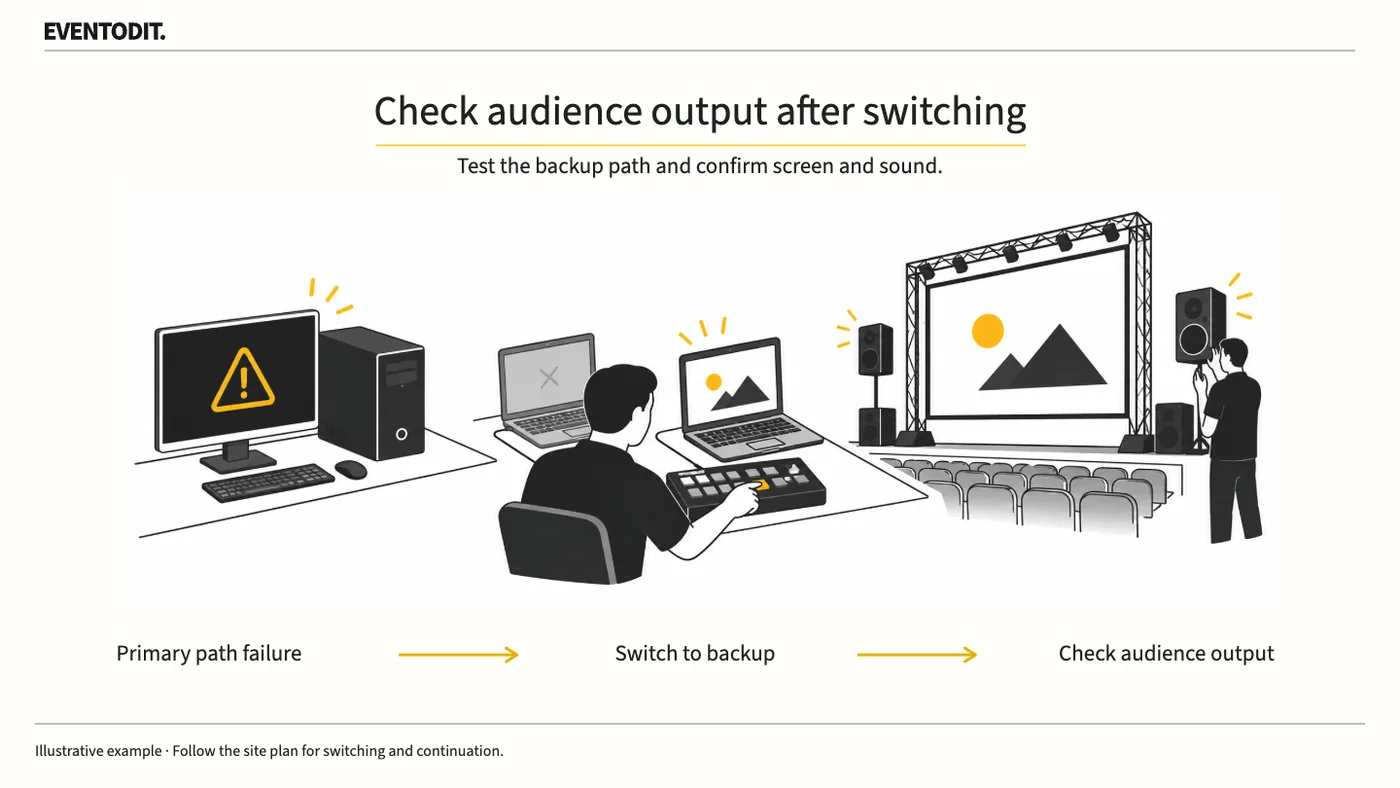
Separate picture, sound and lighting checks do not test the response to a fault during the show. Rehearse who calls the fault and who switches to backup equipment or holds the programme.
Read guide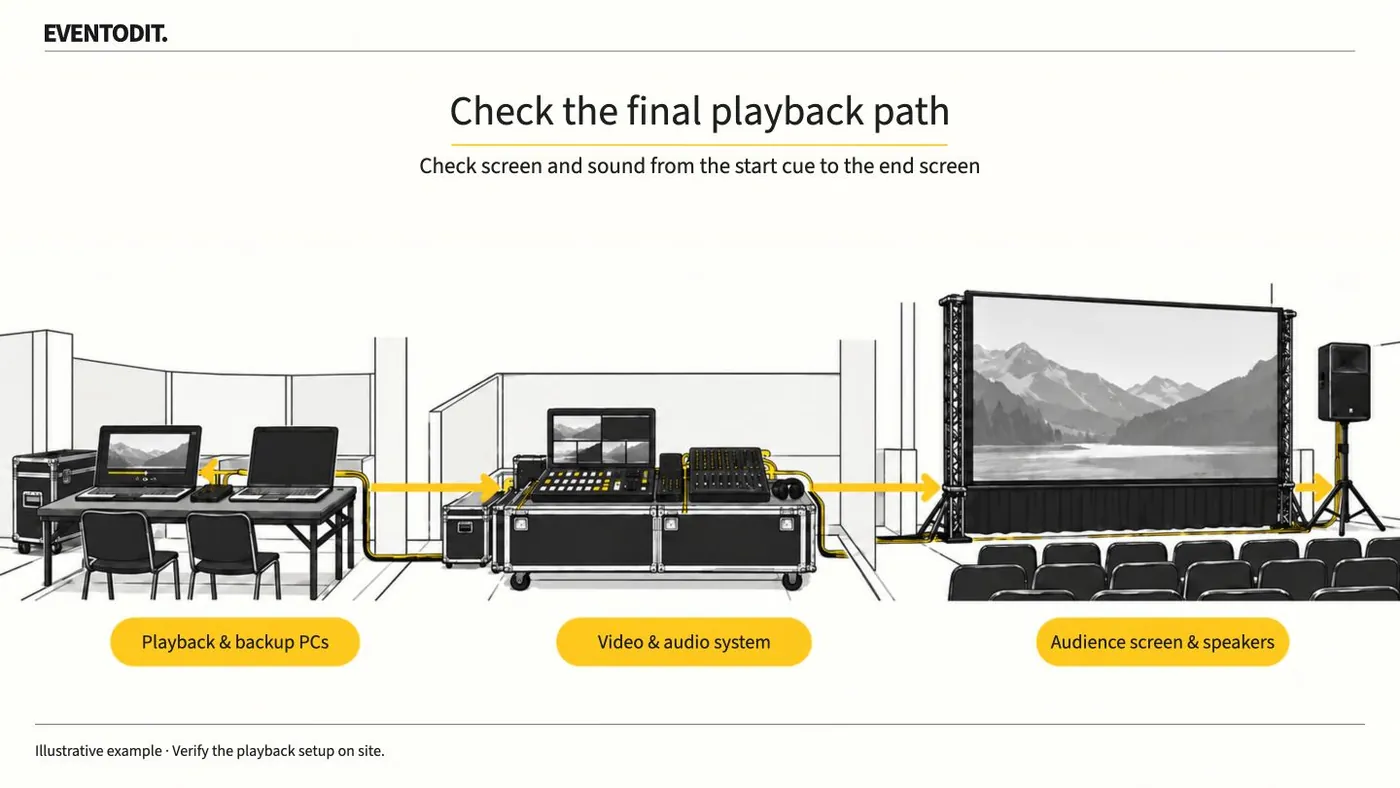
Event Video Acceptance and Playback
Play delivered video on the event PC and check the audience screens and speakers. Test from the start cue through the final screen change, then identify the file approved for playback.
Read guideHave a correction or additional evidence? Request a correction